Kailee and Hannah are roommates, and they wanted to take some photos together to share on social media. A lot of people were asking them who their roommates were, even though they had been living together for the whole year.
They soon realized that they did not have any photos together, and wanted to remedy that. Next year, they will not be rooming together since Hannah will be doing mission work in Africa, and Kailee will be an RA in the dorm on campus.
They wanted to have some nice photos for social media and memories, but they wanted them to reflect their friendship. Kailee told me that she wanted a variety of locations and multiple outfits.
Of the photos we shot, the favorites were definitely the ones we shot at the laundromat. Kailee liked this idea because of a scene she saw in “Friends”, so I told her it would be a fun shoot to do.
I like these images the best, so I thought this would be a great place to share them. I edited them in color and in black and white, but ultimately decided the black and white were best.
If you like these, please follow me on Instagram, @kirstenimages, to see more content. Also, please follow my blog to be alerted when I post!
This past weekend, I went to Bennington Lake with my friend, Liza, and her boyfriend, Kurt. We wanted to take some cute photos of the two of them for their Instagram pages.
We went close to golden hour, and ended up with a lot of great shots. I want to share with you what I believe are some of the best from that shoot.
Be sure to comment below and let me know what your favorite photo is, and follow me on Instagram, @kirstenimages, for more content!
As a member of the online community, it is a wonderful thing to raise awareness of other creators. I have compiled a list of a few photographers and artists that I have either met or know personally that would be wonderful additions to who you follow on Instagram or other social media channels.
This creator, Nadia Diaz, is someone I’ve admired for years. I do know her personally, and I have had the privilege of seeing her grow as an artist. She does do commission work, and is currently studying to gain a degree in visual development.
As you can see, she is versed in a wide variety of styles. My favorite of Nadia’s recent work is the painted violin you can see in the image above, which she donated for an auction.
Nadia is a wonderful artist who is talented in all forms of visual art, from painting to stop motion to digital art. She has a YouTube account where she has shared some of her animated work.
If you want to see more work from Nadia at ArtHead Creations™ check out her Instagram, YouTube, and Facebook page to see more awesome content.
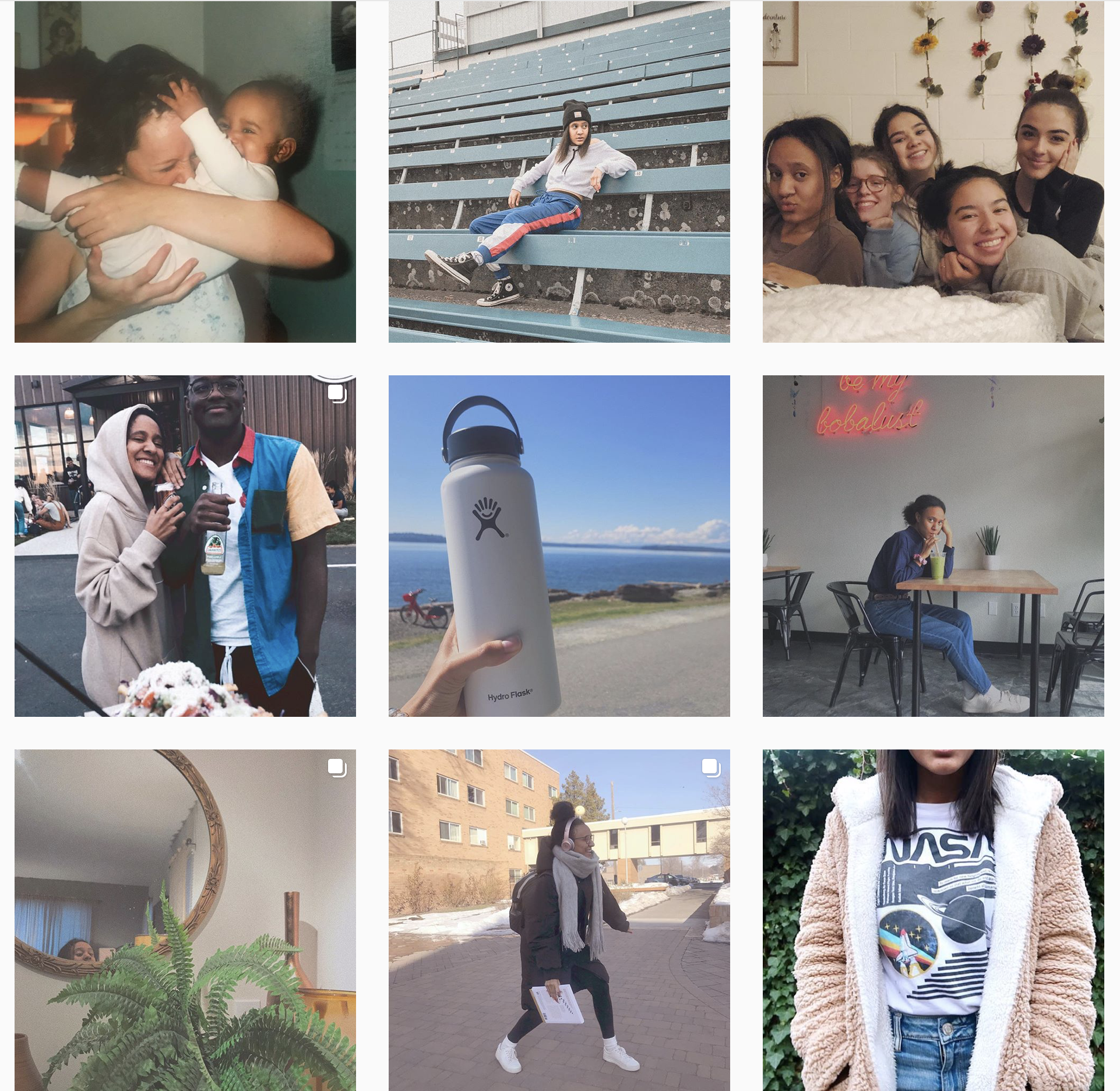
MJ Media is a rather new account on Instagram, however she has been taking photos for years. Mariah is someone that I have also known for years and have had the pleasure of working with on several occasions.
Some of you may recognize this account from my earlier post about Instagram organizational patterns. Check out that post for more information on how MJ Media accomplished this column pattern on her account.
My favorite out of her current posts is the image of Seattle on the bottom left.
Sienna Pierre is another person I have worked with closely over the past couple of years. In fact, if you checked out my photography Instagram account, @kirstenimages, you would see many images of her featured on my page.
Over the last year or so, Sienna has started a YouTube channel. She posts music covers, collaborations, vlogs, and all-around fun content to watch.
While I love Sienna’s Instagram content, her main art form is reflected in her videos and editing. So, instead of sharing with you my favorite image from her account, I am going to feature one of my favorite videos she has uploaded to her youtube account.
This video is one my favorites that Sienna has posted other than her covers. I really like the detailed shots and the aesthetics of the video, and it was one of her first highly edited videos, and I think she did a great job with it.
Be sure to check out Sienna’s Instagram and subscribe to her on YouTube for more wonderful content.
***All accounts listed are not paid promotion. I simply wanted to share them because I believe they deserve more exposure. All accounts and images above were used with the permission of the owner.***
I frequently tell people that Instagram is my favorite social media platform. As a photographer, I find it is an easy way to increase exposure and allow people to see a nice representation of my work.
I have had an Instagram account since 2013, and since then, I have carefully curated my content and tried to create a consistent look.
I pride myself on the organization of my Instagram posts. While I may not have many Instagram followers, I do enjoy posting on the platform and sharing photos with my friends, family, and clients.
Friends of mine have trusted me with their account passwords and allowed me to archive posts in order to format their accounts in a more aesthetically-pleasing way. Unfortunately, I am unable to sign in to everybody’s Instagram accounts and format them.
I thought I would share with you one of my biggest tips on how to make your Instagram more consistent, clean, and organized. Hopefully these tips will help you stand out from the sea of influencers and really have a clean-cut look to your account.
Establishing an Organizational Pattern
One way to make your account look more organized is by creating a more organized look for your profile. On both my personal and business accounts, I have decided to post in rows. I personally like the way that this looks, and I think it divides up each row well.
While I like the look of rows, some people, like my friend and fellow photographer Mariah Johnson, @mj_media on Instagram, prefers to use columns.
Other organizational patterns include cubes, boxes, diagonal lines, or a checkerboard pattern. Since I have the most experience with posting in rows of three, I am going to focus on how you can accomplish that look on your Instagram account.
While rows are so satisfying to look at, they may be hard to accomplish if you aren’t willing to archive former posts or delete and start over with a blank account, but there are a few ways to get around it.
Before you do this, you would have to do is make sure your posts are divisible by three. Essentially, if you scroll all the way to the bottom of your account, you should not have one or two posts at the bottom, but you should have a full row of three. If you have one or two posts, you either have to remove one or two posts, (simply archive, don’t delete), or you can post either one or two photos to complete that row.
Once you have accomplished this, you can do one of two things. The first thing you could do is post a divider row. This can be very irritating to your followers, so be warned, just in case you lose a few.
A divider row will consist of three photos. Most people either do blank posts of just one color, or some posts with words on them. To make them more interesting to your followers, I would post three photos that relate to each other and aren’t too far out of what you would usually post. For example, three photos of beaches you have visited, three similar landscapes, or something of that nature. On my personal instagram account, I have a row that could serve as a divider row of three different telescope type things on top of major land marks.
Divider row example from my personal Instagram
After your divider row, you can post your first row. I recommend not posting all three photos from that row on the same day. Not only it irritating to your followers, but it also decreases the amount of likes you may receive on one photo. Of course, if you have thousands of followers, people probably won’t mind you posting several times a day, but for smaller accounts like my own, I advise spreading your three photos over the course of a few days.
The other way to go about this is to simply start posting in rows, and skip the divider row. After two or three complete rows, it will become clear on your profile that you are using a new organizational pattern, so the divider row is more of a clear division that some people prefer, but isn’t a necessity.
In a later post, I will share some more tips for posting on Instagram, including apps I use for editing and organization, post planning, and other tips.
Do you use Instagram? Feel free to follow me, @kirstenimages, and check out the content I post.




 Capturing College