Kailee and Hannah are roommates, and they wanted to take some photos together to share on social media. A lot of people were asking them who their roommates were, even though they had been living together for the whole year.
They soon realized that they did not have any photos together, and wanted to remedy that. Next year, they will not be rooming together since Hannah will be doing mission work in Africa, and Kailee will be an RA in the dorm on campus.
They wanted to have some nice photos for social media and memories, but they wanted them to reflect their friendship. Kailee told me that she wanted a variety of locations and multiple outfits.
Of the photos we shot, the favorites were definitely the ones we shot at the laundromat. Kailee liked this idea because of a scene she saw in “Friends”, so I told her it would be a fun shoot to do.
I like these images the best, so I thought this would be a great place to share them. I edited them in color and in black and white, but ultimately decided the black and white were best.
If you like these, please follow me on Instagram, @kirstenimages, to see more content. Also, please follow my blog to be alerted when I post!
This past weekend, I went to Bennington Lake with my friend, Liza, and her boyfriend, Kurt. We wanted to take some cute photos of the two of them for their Instagram pages.
We went close to golden hour, and ended up with a lot of great shots. I want to share with you what I believe are some of the best from that shoot.
Be sure to comment below and let me know what your favorite photo is, and follow me on Instagram, @kirstenimages, for more content!
As a member of the online community, it is a wonderful thing to raise awareness of other creators. I have compiled a list of a few photographers and artists that I have either met or know personally that would be wonderful additions to who you follow on Instagram or other social media channels.
This creator, Nadia Diaz, is someone I’ve admired for years. I do know her personally, and I have had the privilege of seeing her grow as an artist. She does do commission work, and is currently studying to gain a degree in visual development.
As you can see, she is versed in a wide variety of styles. My favorite of Nadia’s recent work is the painted violin you can see in the image above, which she donated for an auction.
Nadia is a wonderful artist who is talented in all forms of visual art, from painting to stop motion to digital art. She has a YouTube account where she has shared some of her animated work.
If you want to see more work from Nadia at ArtHead Creations™ check out her Instagram, YouTube, and Facebook page to see more awesome content.
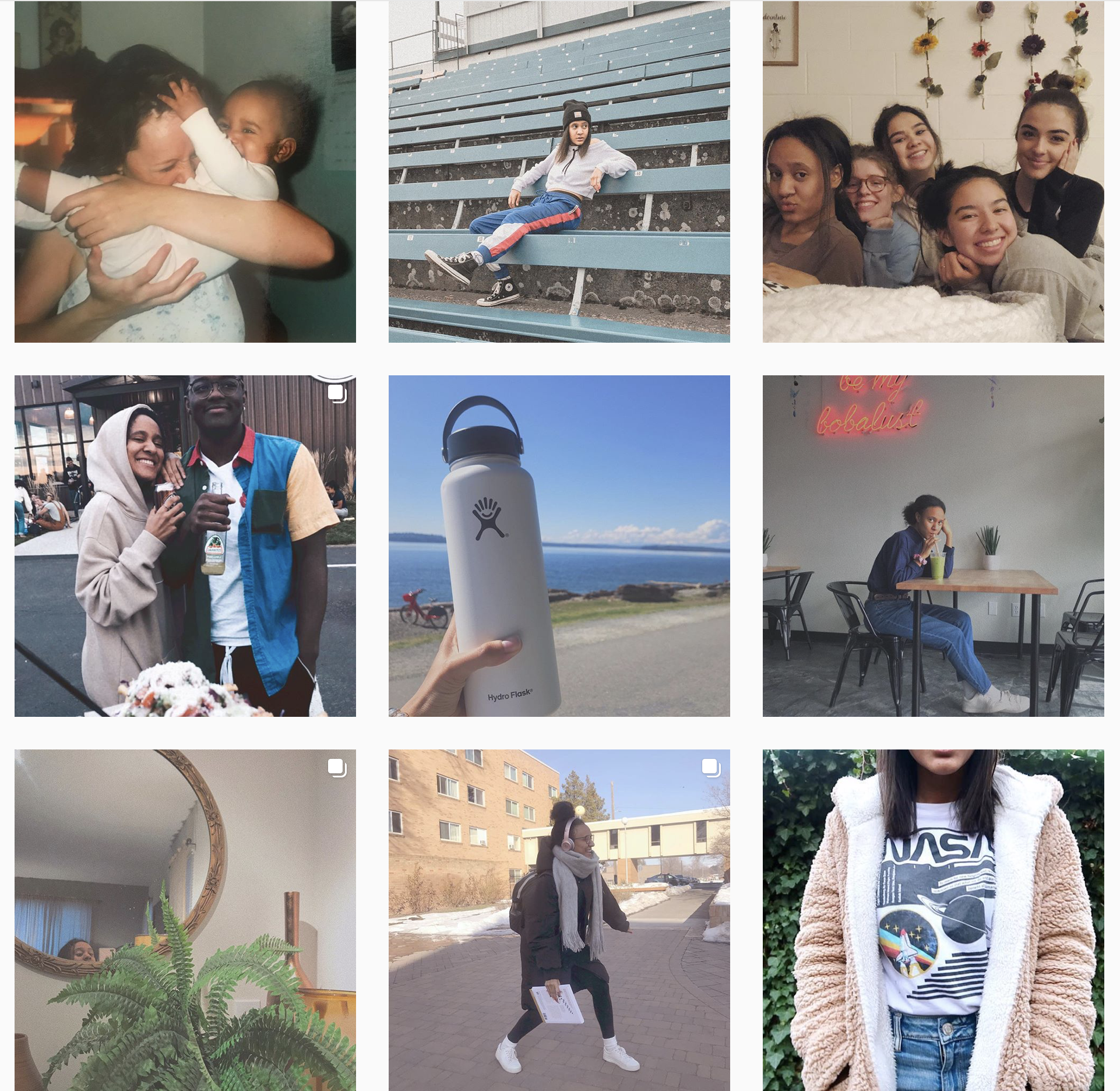
MJ Media is a rather new account on Instagram, however she has been taking photos for years. Mariah is someone that I have also known for years and have had the pleasure of working with on several occasions.
Some of you may recognize this account from my earlier post about Instagram organizational patterns. Check out that post for more information on how MJ Media accomplished this column pattern on her account.
My favorite out of her current posts is the image of Seattle on the bottom left.
Sienna Pierre is another person I have worked with closely over the past couple of years. In fact, if you checked out my photography Instagram account, @kirstenimages, you would see many images of her featured on my page.
Over the last year or so, Sienna has started a YouTube channel. She posts music covers, collaborations, vlogs, and all-around fun content to watch.
While I love Sienna’s Instagram content, her main art form is reflected in her videos and editing. So, instead of sharing with you my favorite image from her account, I am going to feature one of my favorite videos she has uploaded to her youtube account.
This video is one my favorites that Sienna has posted other than her covers. I really like the detailed shots and the aesthetics of the video, and it was one of her first highly edited videos, and I think she did a great job with it.
Be sure to check out Sienna’s Instagram and subscribe to her on YouTube for more wonderful content.
***All accounts listed are not paid promotion. I simply wanted to share them because I believe they deserve more exposure. All accounts and images above were used with the permission of the owner.***
Last spring, while I was a freshman at Andrews University, I was in an Advanced Photography class. We had a final project we needed to do for class, and it had to be between 20-30 images.
I spent my spring break visiting a close friend in Boston, Massachusetts. He was attending school there, and another friend of ours was going to school close by. It was wonderful exploring this place they had both come to hold so dear.
While I was there, I became interested in the architecture and the architectural elements throughout the city and surrounding areas. I would stop every three minutes just to shoot more photos of the gorgeous buildings and little things I would notice along the way.
As I explored, I noticed that this city would be the perfect subject for my final project. I started to notice some repeating forms and the stunning contrast of the old stone and the new glass skyscrapers.
Fast forward a few months, and I had completed my final project. I decided to edit the images in both color and black in white just to see what looked best, and ultimately decided to finalize the black and white images. They were stronger compositionally in black and white since the colors were faded originally due to it being late winter at the time.
I edited them originally in Adobe Lightroom Classic CC, and then imported them into Silver Efex Pro 2, which allowed me to add some more details to the images. After that, I added them into Adobe Photoshop, where I did some touch ups, like removing some distracting poles or branches, and then added a border.
The final step was creating an artist’s statement. For those of you that may not be familiar, an artist’s statement is a piece that accompanies the title of the piece/series and explains it. Sometimes it provides some background information, other times it is simply a poetic statement of types, or leaves the reader to add their own interpretation.
Since I captured these images and the project was completed, a lot has changed in my heart and in my life. It has been over a year, after all. I will only slightly adjust the statement in order for it to be more clear, but I hope you will enjoy the artist’s statement as well as the images nonetheless.
“I Wish I Could See the World Through Your Eyes”
Those words echo through my mind to this day.
When I was asked why I wanted to become a photographer, I would say I wanted to show people how I view the world and all of the little things I would notice in day-to-day life.
With the jobs I have been presented with in my field, I have been so focused on capturing events that I no longer saw photography as an art form and I lost sight of my original purpose in what I wanted to do as a photographer.
While shooting in Boston over spring break, I was amazed by the artistic side of me coming back to life. I would walk down the street and have to stop every few seconds just to capture something new that caught my eye.
As I stood there, I had someone I cared very deeply for standing patiently beside me. As I started to shoot, I heard him say, “I wish I could see the world through your eyes.”
Since then, that has been my goal every day.
If you would like to view more of my work, please follow me on Instagram and Twitter, @kirstenimages.
I frequently tell people that Instagram is my favorite social media platform. As a photographer, I find it is an easy way to increase exposure and allow people to see a nice representation of my work.
I have had an Instagram account since 2013, and since then, I have carefully curated my content and tried to create a consistent look.
I pride myself on the organization of my Instagram posts. While I may not have many Instagram followers, I do enjoy posting on the platform and sharing photos with my friends, family, and clients.
Friends of mine have trusted me with their account passwords and allowed me to archive posts in order to format their accounts in a more aesthetically-pleasing way. Unfortunately, I am unable to sign in to everybody’s Instagram accounts and format them.
I thought I would share with you one of my biggest tips on how to make your Instagram more consistent, clean, and organized. Hopefully these tips will help you stand out from the sea of influencers and really have a clean-cut look to your account.
Establishing an Organizational Pattern
One way to make your account look more organized is by creating a more organized look for your profile. On both my personal and business accounts, I have decided to post in rows. I personally like the way that this looks, and I think it divides up each row well.
While I like the look of rows, some people, like my friend and fellow photographer Mariah Johnson, @mj_media on Instagram, prefers to use columns.
Other organizational patterns include cubes, boxes, diagonal lines, or a checkerboard pattern. Since I have the most experience with posting in rows of three, I am going to focus on how you can accomplish that look on your Instagram account.
While rows are so satisfying to look at, they may be hard to accomplish if you aren’t willing to archive former posts or delete and start over with a blank account, but there are a few ways to get around it.
Before you do this, you would have to do is make sure your posts are divisible by three. Essentially, if you scroll all the way to the bottom of your account, you should not have one or two posts at the bottom, but you should have a full row of three. If you have one or two posts, you either have to remove one or two posts, (simply archive, don’t delete), or you can post either one or two photos to complete that row.
Once you have accomplished this, you can do one of two things. The first thing you could do is post a divider row. This can be very irritating to your followers, so be warned, just in case you lose a few.
A divider row will consist of three photos. Most people either do blank posts of just one color, or some posts with words on them. To make them more interesting to your followers, I would post three photos that relate to each other and aren’t too far out of what you would usually post. For example, three photos of beaches you have visited, three similar landscapes, or something of that nature. On my personal instagram account, I have a row that could serve as a divider row of three different telescope type things on top of major land marks.
Divider row example from my personal Instagram
After your divider row, you can post your first row. I recommend not posting all three photos from that row on the same day. Not only it irritating to your followers, but it also decreases the amount of likes you may receive on one photo. Of course, if you have thousands of followers, people probably won’t mind you posting several times a day, but for smaller accounts like my own, I advise spreading your three photos over the course of a few days.
The other way to go about this is to simply start posting in rows, and skip the divider row. After two or three complete rows, it will become clear on your profile that you are using a new organizational pattern, so the divider row is more of a clear division that some people prefer, but isn’t a necessity.
In a later post, I will share some more tips for posting on Instagram, including apps I use for editing and organization, post planning, and other tips.
Do you use Instagram? Feel free to follow me, @kirstenimages, and check out the content I post.




 Capturing College